



Send emails via WordPress and WordPress Contact Forms better!
WordPress needs to send emails time to time. They could be notification emails to you, the site administrator or more importantly they could be communications such as Order Emails,...

Reasons Why your Business Needs a Blog
Is blogging worth the time and effort for a small business owner? Can it really help enhance sales and bring something extra to your business? It surely is and can help...

How to add a domain to CloudFlare
UPDATED: 3/17.2023Setting up CloudFlare is quite easy. This tutorial will show you how to do this from the ground up on a domain you want...

What makes WordPress enjoyable for bloggers?
Blogging is one of the most common internet activities nowadays. From personal to business use, blogs are created on a daily basis. There are just so many blogging platforms online to...
How to fix WordPress Softaculous Admin Login Issue
Many of our users use Softaculous to manage their WordPress sites so that they don't need to memorize a wp-admin password just to login and manage their multiple sites....

How to create a new account in DirectAdmin; Subsequently, how to install WordPress on...
DirectAdmin is now the fastest growing control panel in the web hosting market. In this tutorial, we will show you how to create a new account on a DirectAdmin...
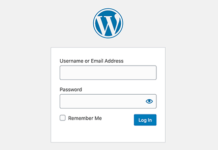
Not able to access your WordPress admin dashboard?
Are you stuck without not being able to access your WordPress admin area? We are here to help!The things to check are:

How to Fix WordPress Sub Pages not working Issue
You may have noticed after installing a plugin or making certain changes to your website, that all of a sudden the only page that works is your homepage. When...
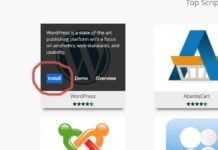
How to install WordPress through Softaculous (the correct way!)
Installing WordPress through our one-click system is very easy to do. To do this, first log into your cPanel account and look for "Softaculous apps installer"

How to view your website before updating nameservers (Like using temp url)
The best way of testing your sites is to modify your local hosts file right on your local computer. This file allows you to tell your local computer what...